Turn documents into audiobooks.
Listen to PDFs, EPUBs, Word docs, and more with 70+ natural AI voices in 8 languages.
100% on-device. Private. No subscription.
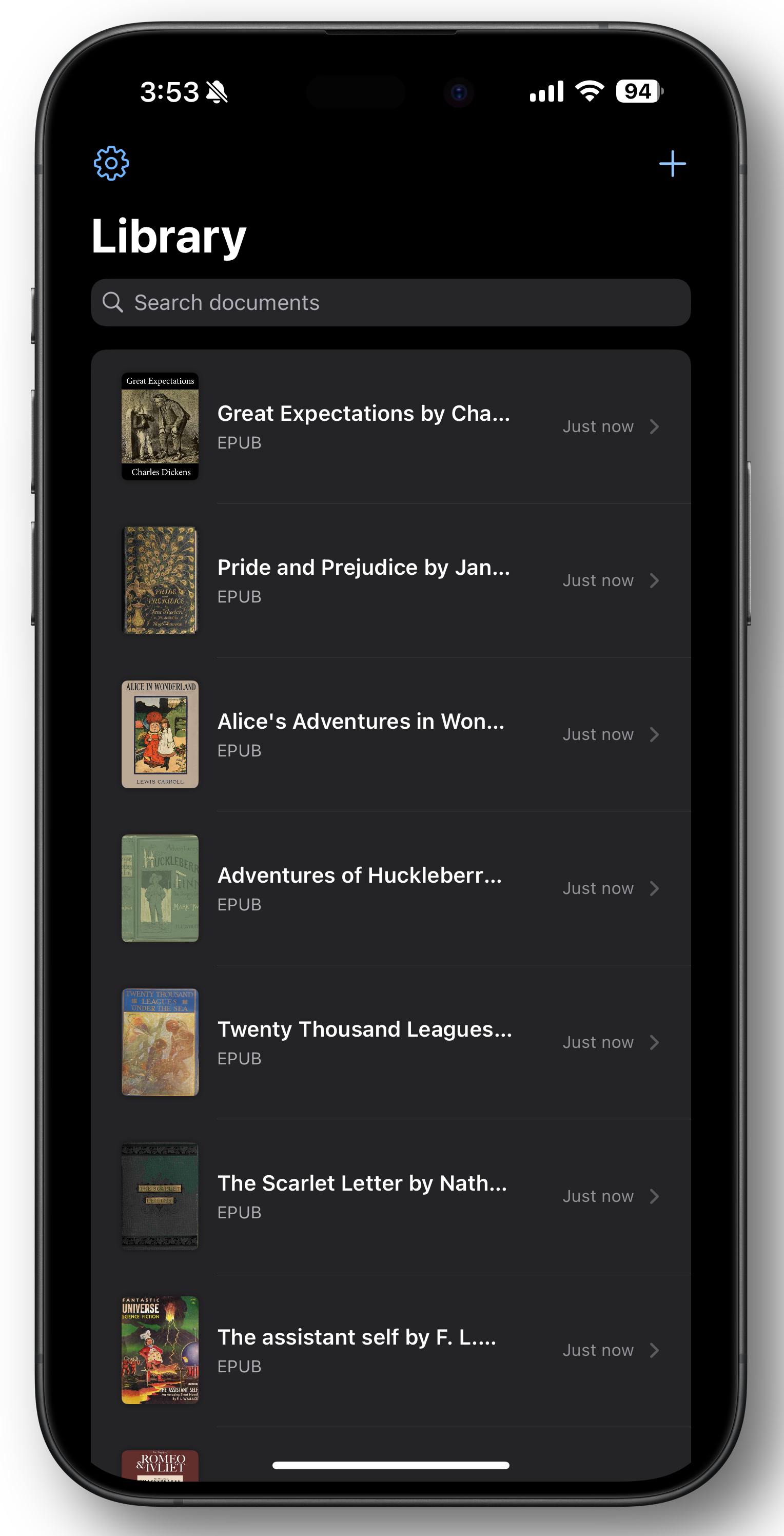
Import Anything
PDF, EPUB, DOCX, DAISY, Text, Clipboard. If it's text, we can read it.
Human-Quality Voices
Experience 70+ voices across 8 languages that sound remarkably human. They breathe, pause, and intonate just like a real person.
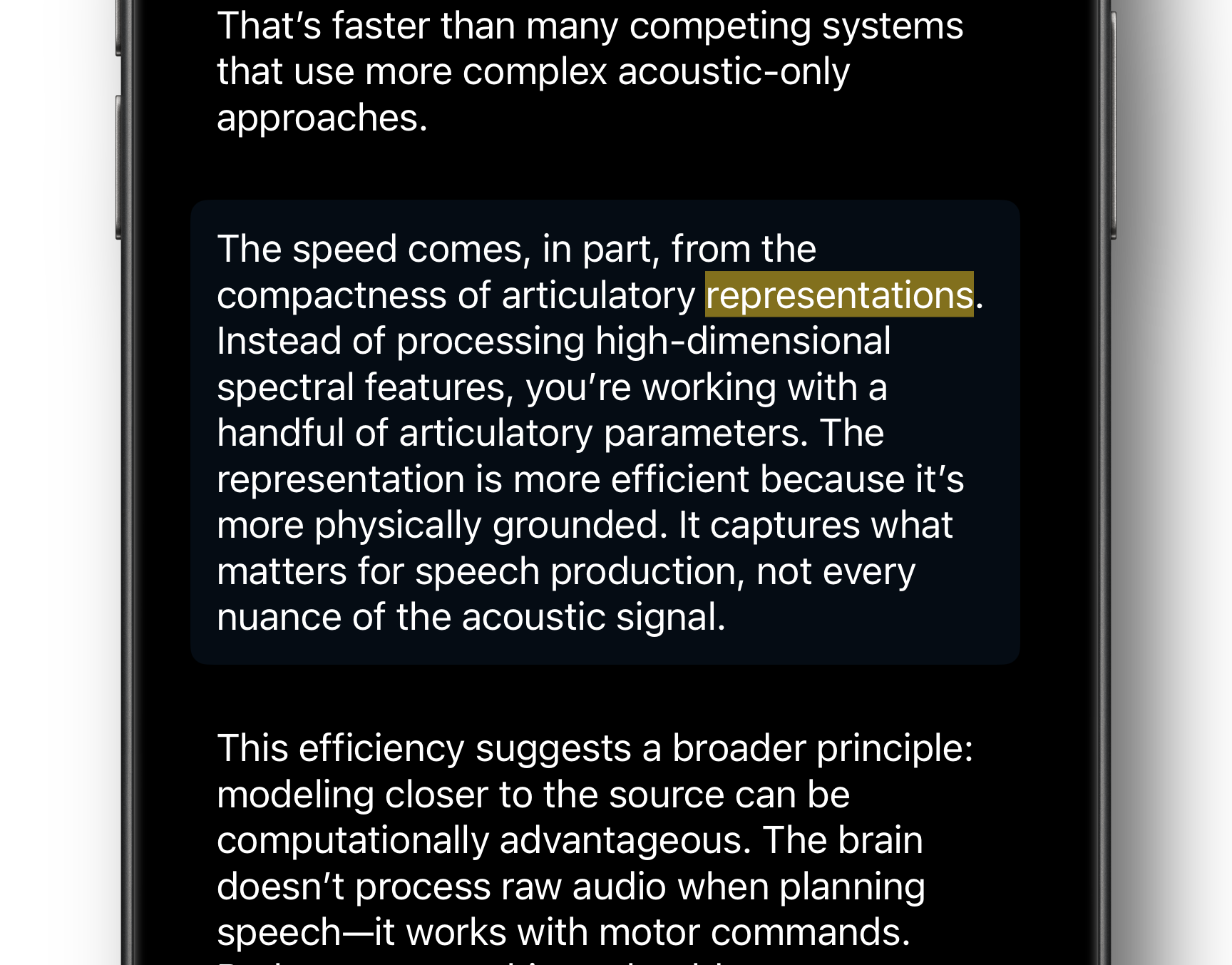
Follow Along
Every word lights up as it's spoken. Perfect for retention, comprehension, and staying focused.
Private & Offline
No servers. No cloud. Your documents never leave this device.
Features In-Depth
Word-Level Highlighting
See Every Word as It's Spoken
Unlike basic text-to-speech, Listen2 uses advanced audio alignment to highlight each word precisely as it's read. This isn't just a nice visual—it's a comprehension breakthrough for visual learners, people with dyslexia, and anyone who wants to actually remember what they hear.
- Word, sentence, or paragraph highlighting modes
- Real-time synchronization using CTC forced alignment
- Automatically adjusts to your device's capabilities
- Disable entirely if you prefer audio-only
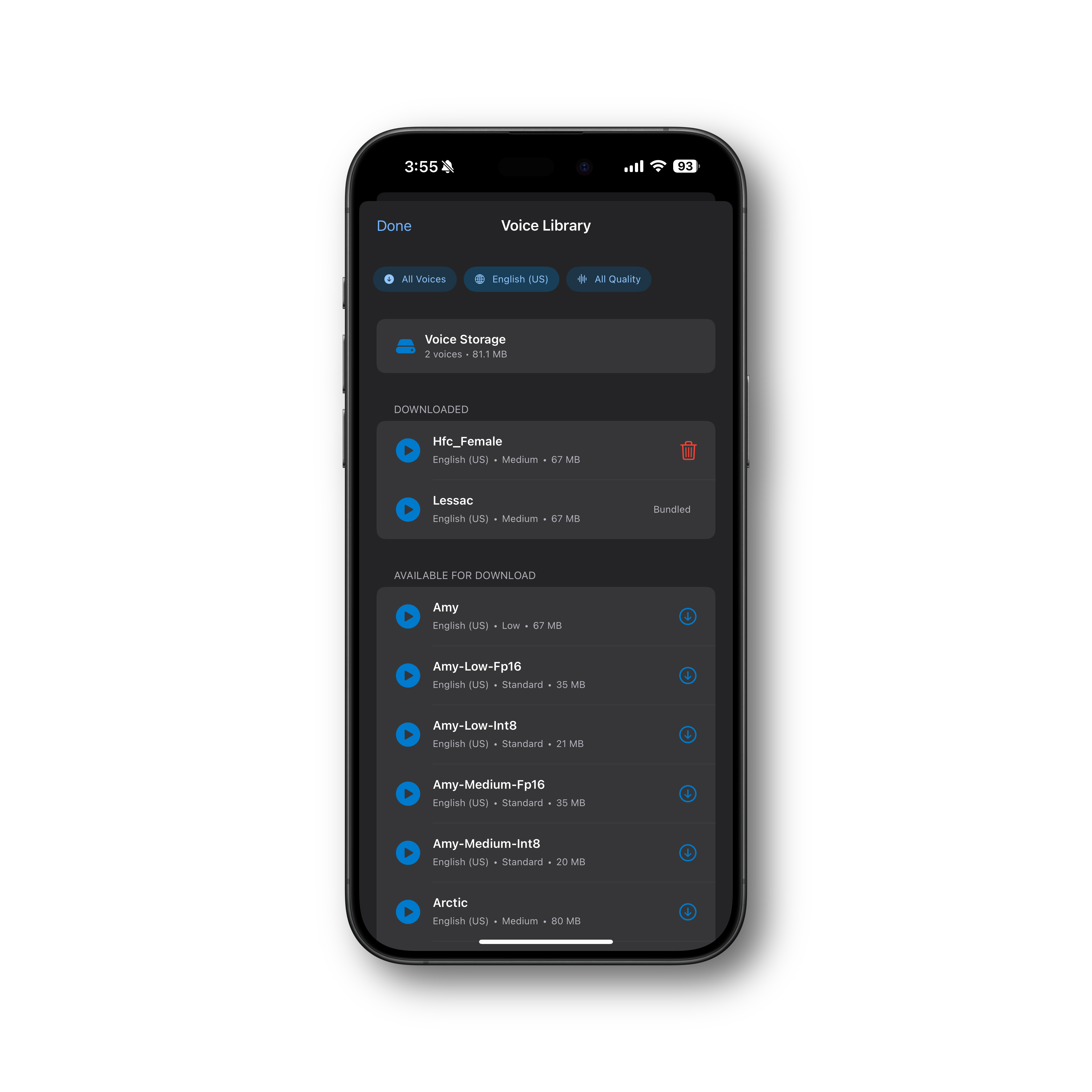
Natural Voices, Completely Offline
70+ Voices. 8 Languages. Zero Internet Required.
Listen2 uses Piper neural TTS—the same technology behind the best open-source voice assistants. Every voice is downloaded once and runs entirely on your device. No internet connection, no cloud processing, no privacy concerns.
- 70+ voices across English, Spanish, French, German, Swedish, Hungarian, Italian, and Russian
- Multi-speaker voice models with dozens of unique speakers each
- Preview any voice before downloading
- Quality options from lightweight to studio-grade
- Optional language packs for natural number, date, and currency pronunciation
Works on airplane mode. Works in the subway. Works everywhere.
Multi-Format Import
PDF. EPUB. DOCX. DAISY. Clipboard. Done.
Stop converting files or emailing documents to yourself. Listen2 imports directly from the iOS Files app—which means iCloud Drive, Dropbox, Google Drive, OneDrive, and anything else you've connected. Or just paste text from anywhere. Smart text processing handles hyphenation, headers, and messy PDF layouts.
Supported Formats:
- PDF (with smart layout extraction)
- EPUB (with chapter detection)
- DOCX (Word documents)
- DAISY (accessibility-focused audiobook format)
- Plain text and Markdown
- Clipboard (paste anything)
Privacy-First Design
Documents Never Leave Your Device
We built Listen2 for people who read sensitive material—legal documents, medical records, confidential reports, private journals. Every bit of processing happens on your iPhone or iPad. No cloud. No account. No exceptions.
What We Don't Do:
- ❌ No cloud uploads
- ❌ No user accounts
- ❌ No analytics or tracking
- ❌ No data collection
- ❌ No subscription fees
What We Do:
- ✅ On-device neural TTS
- ✅ Local document storage
- ✅ One-time purchase
- ✅ Works in airplane mode
Collections
Curate Your Own Playlists
Group documents into ordered collections—like playlists for reading. Add narrated intros between documents to create a guided listening experience. Share entire collections with others as .listen2collection files.
- Drag-and-drop reordering
- Write narrated intros between documents
- Source citations with URLs for each item
- Progress tracking across the collection
- Export and share complete collections
Bookmarks & Search
Find and Mark What Matters
Full-text search across your entire library. Drop bookmarks anywhere in a document and jump back to them instantly. Your reading position is saved automatically.
Accessibility First
Built for VoiceOver from day one
Listen2 was engineered from the ground up with accessibility in mind. Full VoiceOver support with descriptive labels and hints on every control. Smart announcement handling that doesn't fight with the TTS audio. Device capability detection that recommends optimal settings.
Accessibility Features:
- Full VoiceOver compatibility
- Every button has descriptive labels and hints
- Controls stay visible for accessibility users
- Large text and Dynamic Type support
- High contrast mode support
- No essential gestures—buttons for everything
Comparison Tables
Listen2 vs. Audiobook Services
| Feature | Listen2 | Audible | Libby |
|---|---|---|---|
| Your own PDFs | ✅ | ❌ | ❌ |
| Your own EPUBs | ✅ | ❌ | ❌ |
| DOCX & DAISY support | ✅ | ❌ | ❌ |
| Works offline | ✅ | ✅ | ✅ |
| Word highlighting | ✅ | ❌ | ❌ |
| No subscription | ✅ | ❌ | ✅ |
| No account required | ✅ | ❌ | ❌ |
| 70+ voice options | ✅ | ❌ | ❌ |
| 8 languages | ✅ | ❌ | ❌ |
| Collections & playlists | ✅ | ❌ | ❌ |
| Adjustable speed | ✅ | ✅ | ✅ |
| Privacy-first | ✅ | ❌ | ❌ |
Listen2 vs. TTS Apps
| Feature | Listen2 | Speechify | Voice Dream | NaturalReader |
|---|---|---|---|---|
| Neural voices | ✅ | ✅ | ✅ | ✅ |
| Word highlighting | ✅ | ✅ | ✅ | ✅ |
| 100% offline | ✅ | ❌ | Partial | ❌ |
| No subscription | ✅ | ❌ | ❌ ($60/yr) | ❌ |
| No cloud upload | ✅ | ❌ | ❌ | ❌ |
| 70+ voice choices | ✅ | ✅ | ✅ | Limited |
| 8 languages | ✅ | ✅ | ✅ | Limited |
| DOCX & DAISY support | ✅ | Partial | ✅ | Partial |
| Collections | ✅ | ❌ | ❌ | ❌ |
| VoiceOver optimized | ✅ | Partial | ✅ | Partial |
| One-time price | ✅ | ❌ ($139/yr) | ✅ (~$20) | ❌ |
FAQ
General
Q: What file formats does Listen2 support? A: PDF, EPUB, DOCX, DAISY, plain text, Markdown, and anything you can copy to your clipboard. Import from the iOS Files app, which connects to iCloud Drive, Dropbox, Google Drive, OneDrive, and more.
Q: Does it work offline? A: Yes, 100%. Once you've downloaded a voice, everything runs on your device. No internet required for synthesis or playback.
Q: What languages are supported? A: Listen2 currently supports 8 languages: English, Spanish, French, German, Swedish, Hungarian, Italian, and Russian. More languages are planned for future updates.
Privacy
Q: Do my documents get uploaded anywhere? A: No. All document processing happens entirely on your iPhone or iPad. We never see your documents—they never leave your device.
Q: Do I need to create an account? A: No. Listen2 requires no account, no login, no email. Just download and start reading.
Pricing
Q: Is there a subscription? A: No. Listen2 is a one-time purchase. Pay once, own forever.
Q: Is there a free trial? A: Yes. You get a full-featured 7-day free trial so you can make sure Listen2 works for you before purchasing.